AI Automation in Greece for everything that repeats every day
Think about how many times a day you do the same job. You answer the same question about opening hours. You write an appointment into the calendar. You send the same message to a customer you missed. AI automation takes on these jobs and does them right, every time, even when the office is closed.
- Answering the phone, 24/7
- Appointments booked during the call
- SMS, email and reminders
- CRM entries and reports
What AI automation is
AI automation means automating work with artificial intelligence. The difference from a simple automation is that AI understands. It does not wait for the customer to press the right button. It listens to what they ask, works out whether they want an appointment, information or a person, and decides the next step.
In Greece customers pick up the phone instead of filling in a form. That is why at Epic Voice automation starts with the call: the AI voice agent talks to the customer, and everything that follows, the appointment, the text, the record, happens automatically.
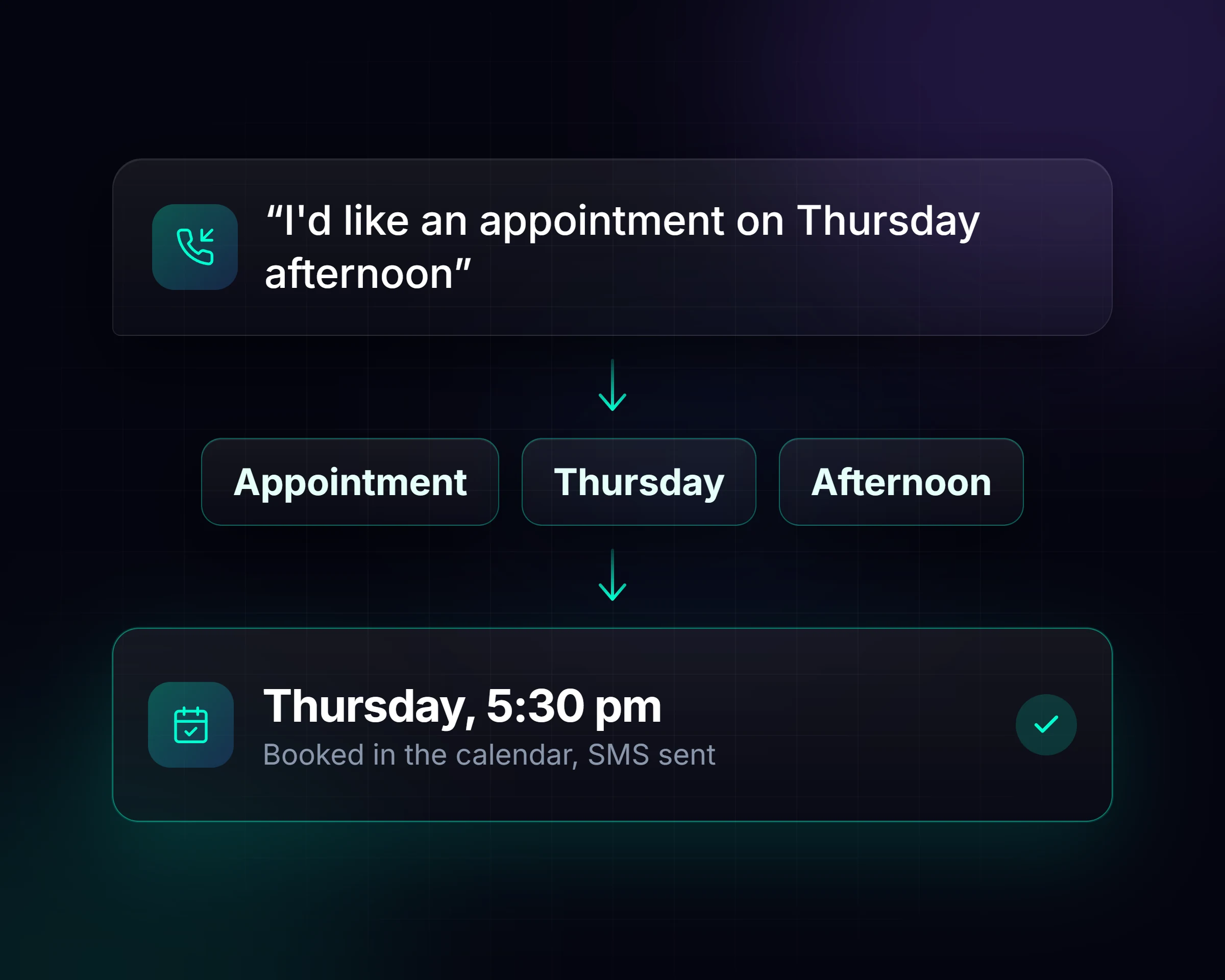
We automate the conversation, not just the clicks.
AI automation or classic automation?
Both have a place in a business. The difference shows when the customer does not do what you expected.
| Criterion | Classic automation | AI automation |
|---|---|---|
| How it starts | With a specific event, such as a form | Also from a free conversation on the phone |
| What it understands | Only what was foreseen | What the customer asks, however they say it |
| When something does not fit | It stops or sends the wrong message | It asks, takes a message or transfers to a person |
| Example | A text after every missed call | Answers the call, books the appointment and sends an SMS confirmation |
In practice we combine the two. AI handles the conversation and business automations handle the fixed flows around it.
What AI automates in a business
These are the tasks we automate most often.
Records and reports
Every call is logged in your CRM, with a summary by email and a monthly report.
A day with AI automation at a medical practice
An example of what an ordinary day looks like at a medical practice when AI automation is running.
- 1
08:10
A patient calls before the practice opens. The agent finds a free slot, books the appointment and sends an SMS confirmation.
- 2
11:30
The doctor is with a patient and no one can get to the phone. The call is answered as usual, with no hold time.
- 3
14:00
Someone asks about test results. The agent does not give medical information. It takes a message and emails it to the practice as urgent.
- 4
18:00
Tomorrow's patients receive an SMS reminder.
- 5
21:45
A patient cancels tomorrow's appointment. The slot is freed in the calendar, and in the morning the doctor finds a summary of every call in their email.
Where to start
Do not start by automating everything. Start with the job that costs you most. For most businesses that work by appointment, the order is:
- 1The calls you miss. An AI answering service for missed calls and the hours you are closed.
- 2Appointments. Booking into the calendar during the call, with nobody writing anything by hand.
- 3No-shows. Reminders by SMS and email.
- 4Leads. Follow-up with everyone who asked for information and did not book.
- 5Reports. A summary in your email of what happened this week or this month.
If you do not know how many calls you miss, start with the missed calls calculator.
What not to automate
Not everything should be automated. A complaint needs a person. So does a sensitive conversation, a negotiation or an upset customer. In those cases the agent does what a good colleague would do: it recognises the call is not for it and transfers it to you, or takes a message so you can call back.
The rules are set from the start, together with you. You decide which calls always go to a person.
How we build an AI automation
- 1
Mapping
Together we look at what you do by hand every day and which tools you already use.
- 2
Design
We define what triggers each flow, what the agent says, which message goes out and where it is recorded.
- 3
Build and test
We set it up and test it in real scenarios before go-live.
- 4
Running
It works 24/7. We monitor it and make the changes you need.
Which tools AI automation connects to
The ones you already use: your calendar, email, SMS, your CRM, your website forms and your phone. If your booking system allows a connection, it connects too. If you do not have one, Epic Booking works in the same calendar as the agent.
You do not need to change anything that already works or learn a new program. We make the connections.
AI automation by industry
Every industry has its own repetitive jobs. See what gets automated in yours, or browse all industries.
What AI automation costs
AI automation on the phone is included in the AI voice agent plans: a one-off setup fee and a fixed monthly plan with talk minutes, from €99 a month. Simple automations, such as missed-call texts, are added at a small cost. More complex scenarios are quoted separately, at a price you know upfront.
Custom plans and extra talk minutes are available depending on your call volume.
See all plansFrequently asked questions about AI automation
Did not find what you were looking for? Ask us directly
What is AI automation in simple terms?
How is it different from classic automation?
Will my business lose the personal touch?
Do I need to change the tools I use?
Can I start with a single automation?
Where do I see what happened?

Let's find what can run on its own in your business.
Fill in the form and we will suggest where to start.