Since 10 November 2026 a business can claim its presence in ChatGPT and manage its own profile. The feature is called Businesses in ChatGPT, it is in beta and it is run through Business Hub.
This guide explains what a ChatGPT business profile is, who can create one, the steps, what to have ready before you start, and what changes and what does not. Every fact comes from OpenAI's official announcements. Because the feature is new, we will update this article when something changes.
What a ChatGPT business profile is
When someone asks ChatGPT about a product or a service, the answer may mention businesses. Until now businesses had no way to control which details appear about them. With Businesses in ChatGPT, a business claims its profile, gets verified and then updates its key details itself.
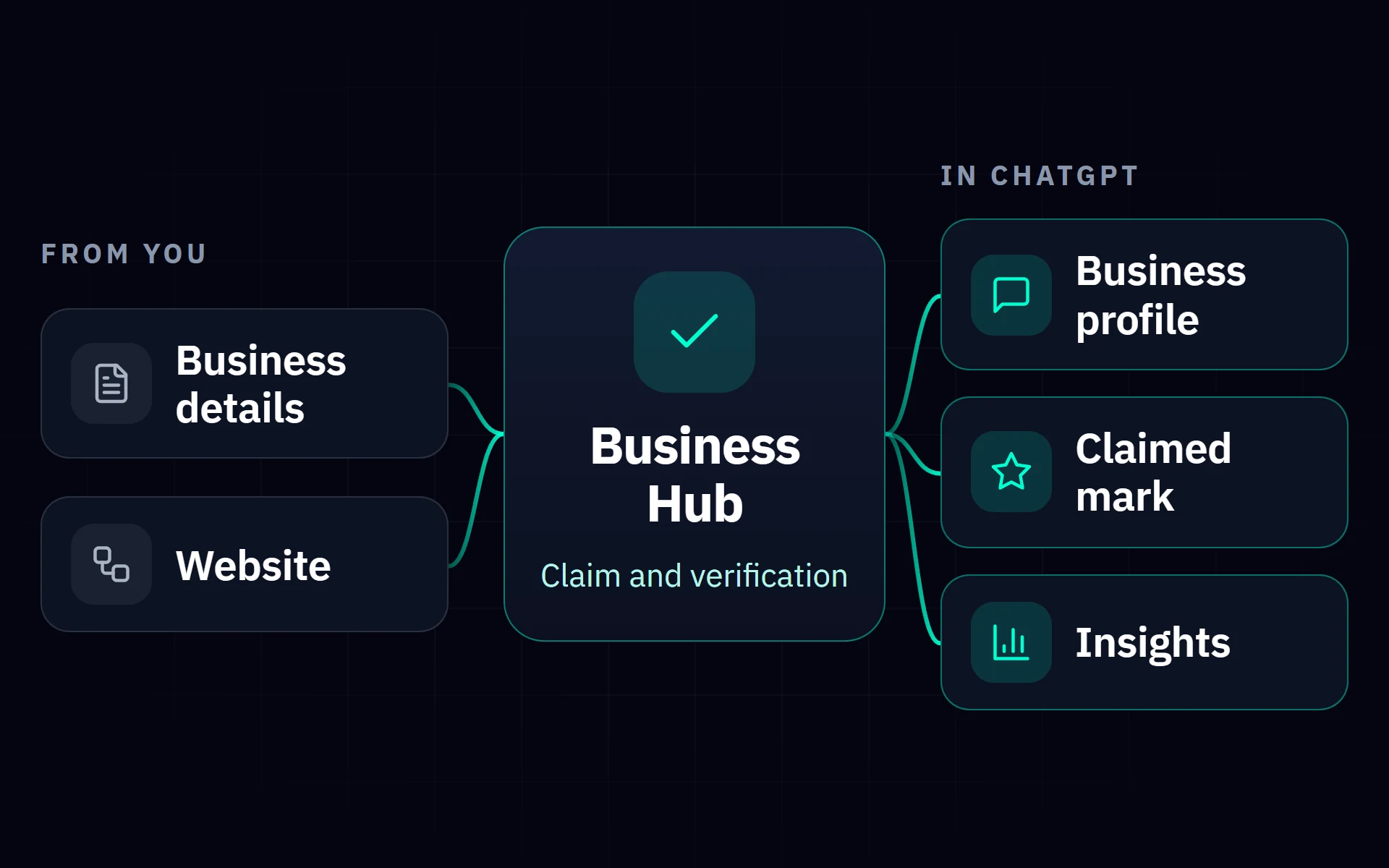
According to OpenAI's announcement, through Business Hub a business can do three things: claim its presence, manage its information and see insights on how people engage with it in ChatGPT.
If you know the business profile in maps and search, the idea is similar: a profile that belongs to you, with details you keep accurate, in a place where customers are already looking.
What changes when you claim your business
OpenAI is clear about both what you gain and what it does not promise.
| Unclaimed | With a claimed profile | |
|---|---|---|
| Appearing in answers | ChatGPT may show information about you from other sources | The same, with the details you provide as an additional source |
| Who updates the details | Nobody from the business | You, through Business Hub |
| Mark on the profile | No | A blue check showing the profile has been claimed |
| Insights | No | Mentions, website clicks, discovery topics |
| Product prices and availability | No | Yes, with a product feed for retailers |
What does not change: ChatGPT continues to make independent recommendations and comparisons. As OpenAI writes, claiming does not guarantee higher placement or sales.
Who can create a ChatGPT business profile
Eligible businesses in the countries where ChatGPT is offered can claim a profile. Eligibility depends on industry, location and OpenAI's verification and integrity checks.
For a business in Greece this means you can submit a request, provided you have a website. Whether your industry is accepted is something you see inside Business Hub, during the claim.
Creating a ChatGPT business profile: the steps
The process OpenAI describes has five steps. The screens may change while the feature is in beta, but the order is this:
If you run an online shop, you can also upload a product feed with prices and availability. For shops on Shopify there is a connection that streamlines verification.
What to have ready before you start
OpenAI's policy requires the details to be truthful and current. If you collect them before you open Business Hub, the process is done in one go. We suggest they match, word for word, what your website and your other listings say.
The rules that apply to the profile
The Businesses in ChatGPT policy sets out what is allowed. OpenAI may decline content, limit profile management or remove a profile when the rules are broken.
Responsibility for the details stays with the business. OpenAI states that it does not verify every detail.
What insights you see in Business Hub
Business Hub gives aggregated figures on how your business shows up: how many times it was mentioned, how many clicks went to your website and in which conversation topics your website is cited.
You will not see users' conversations. OpenAI states that insights are aggregated and are only available when there is enough volume, to protect users' privacy.
What a Business Agent is and when it will arrive
Business Agents were announced together with the profiles: an assistant for the business inside ChatGPT, which answers questions using the information and guidelines the business itself provides. The conversation with a Business Agent is clearly labelled and separate from ChatGPT's own answers.
For now Business Agents are available only to eligible ecommerce and online service businesses in the United States. OpenAI says it plans to expand to more markets and categories, without a date.
Until then, an assistant that answers for your business can work on your own channels: on the phone with an AI voice agent and on the website with an AI chatbot. The overall picture is in the guide to AI agents.
Beyond the profile: what else counts
OpenAI states that ChatGPT may show information about a business whether or not it has a profile, and that profiles may also include information from other sources. So the profile is one part of how you appear, not the whole of it.
From the work we do on our own website so that artificial intelligence systems read it correctly, three things are worth doing regardless of the profile: The details are in the guide to showing up in AI answers.
Need help claiming your business in ChatGPT and preparing its details properly? Contact us and we will do it together.
FAQ
What is a ChatGPT business profile?
How much does a ChatGPT business profile cost?
Can a business in Greece claim its profile in ChatGPT?
Will I rank higher if I claim my business?
Will my business appear in ChatGPT without a profile?
What is a Business Agent in ChatGPT?
Read next
Live hotel demo
Talk to a hotel AI voice agent demo now
You can call this number to talk to a demo AI voice agent for a hotel.
Need help with your ChatGPT profile?
Contact us. We prepare your business's details and guide you through the claim.
Book a Call